Using RXVCam360 Discussion Mode with Composite AI
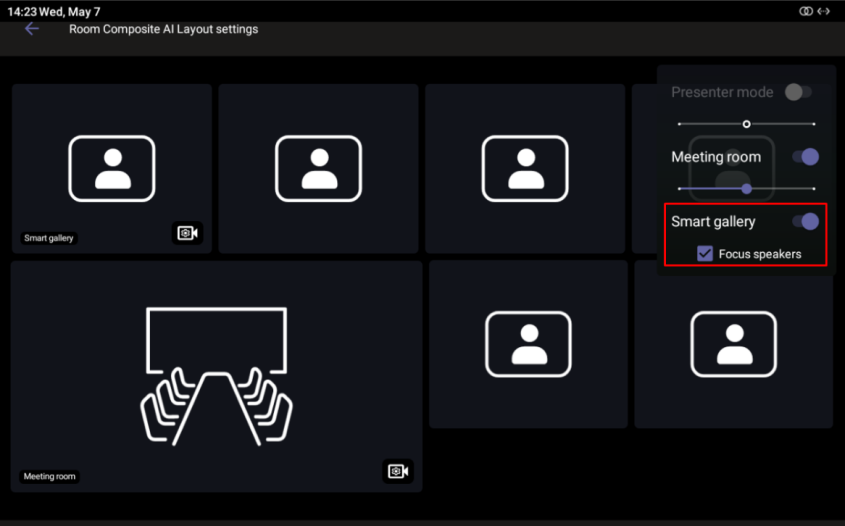
This feature enhances the Smart Gallery view in Composite AI rooms by prioritizing active speakers, displaying them in larger tiles instead of equal-sized frames for all participants.
| ➢ | To enable this: |
| 1. | Navigate to the Composite AI Layout Settings page (see Setting up Composite AI). |
| 2. | Turn on 'Smart gallery' and select the Focus Speakers option. |
For non-supported cameras (e.g., RXVCam70), the Focus Speakers option is grayed out.